Microsoft Office Add-In

Alfresco meets Microsoft Office

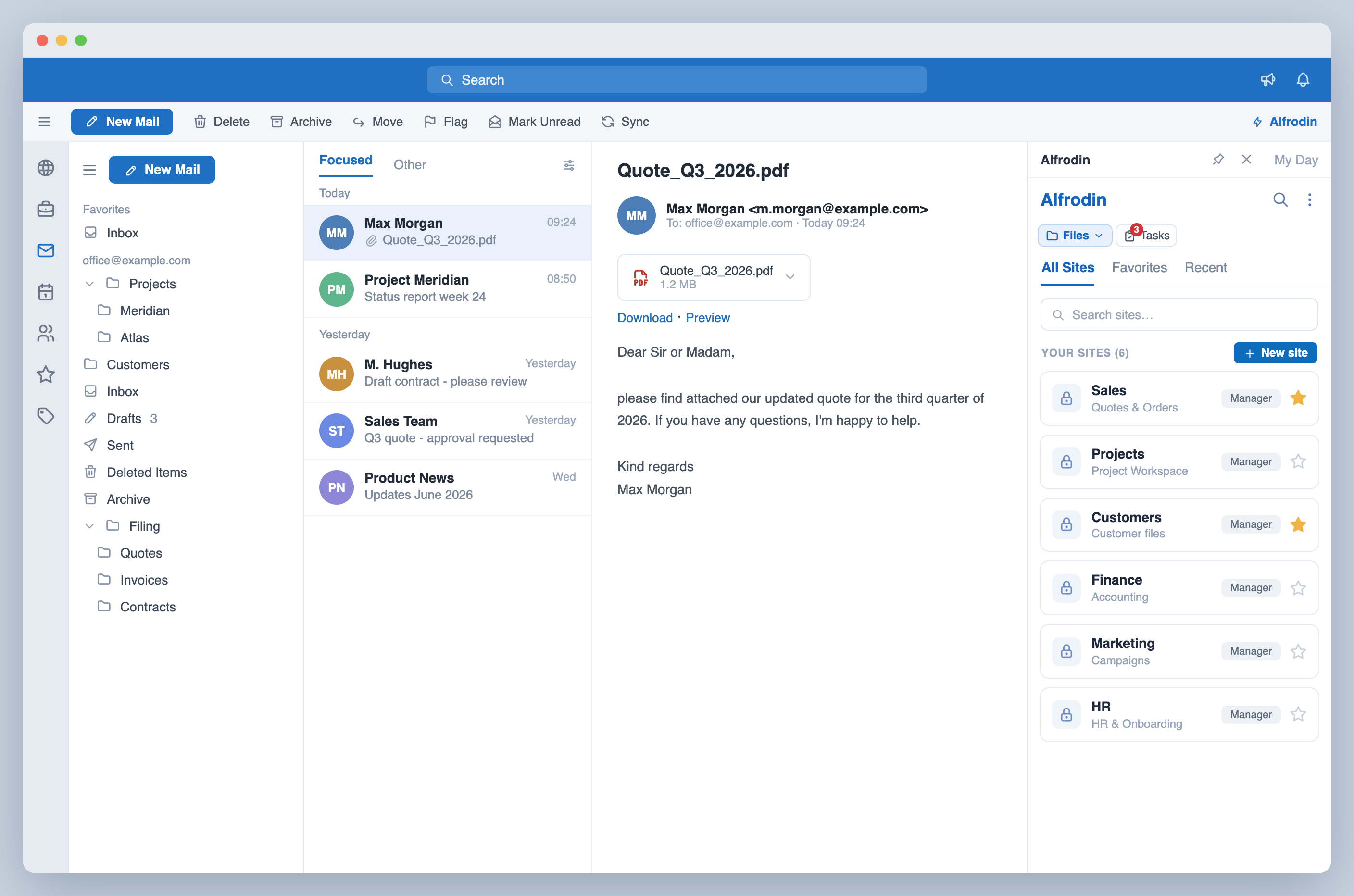
Manage your Alfresco documents directly from Outlook, Word, Excel & PowerPoint. Upload emails, save documents and browse your DMS without switching apps.

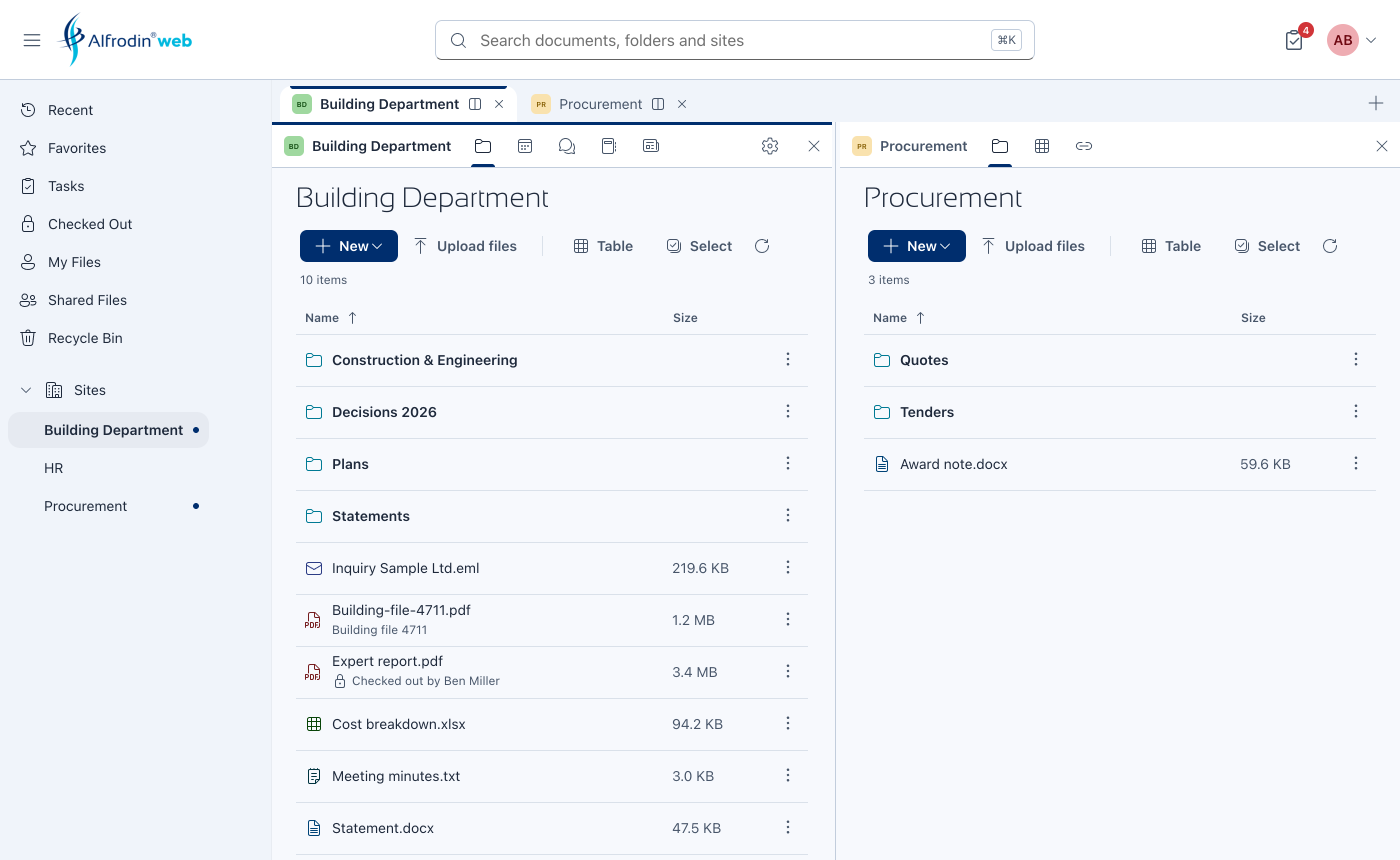
  • Browse sites, folders & documents
  • Upload emails & save documents in one click
  • Preview, search & manage workflows

Everything you need

Powerful Alfresco integration built for your daily workflow

Email Archiving

Upload emails with attachments directly from Outlook to Alfresco. One click, fully archived.

Browse & Navigate

Full folder browser with breadcrumb navigation. Access all your Alfresco sites without leaving Office.

Document Save

Save Word, Excel & PowerPoint files directly to Alfresco folders – with version control.

Full-text Search

Search across your entire Alfresco repository. Find documents by name, content, or metadata.

Favorites

Quick access to your most-used folders and files. Synced with your Alfresco favorites.

Workflows

View, claim, approve and complete workflow tasks. Manage your Alfresco tasks from Outlook.

Drag & Drop

Drag files from your desktop directly into Alfresco. Bulk upload with progress tracking.

Public Links

Create shareable links for external collaboration. Set expiry dates for security.

Flexible Authentication

Basic Authentication or OpenID Connect — connect via Keycloak, Microsoft Entra ID, or any OIDC-compatible Identity Provider.

Multilingual

Available in English, German & Spanish. Adapts to your Office language settings.

Built for the tools you already use

Microsoft 365
Outlook
Word
Excel
PowerPoint
Alfresco
No data passes through our servers
Microsoft Office Add-In
GDPR compliant

Simple, transparent pricing

All-in-One

Alfrodin

One add-in for your entire Office suite

Outlook Word Excel PowerPoint
  • Email archiving with attachments
  • Browse & navigate Alfresco
  • Save documents to Alfresco
  • Full-text search
  • Drag & drop upload
  • Favorites & public links
  • Workflows & tasks
  • Multilingual (EN/DE/ES)
  • Basic Auth & Identity Provider (OIDC)

Choose how to buy

Digistore24
Billed via Digistore24
€12 / user / month
€11 / user / year
  • Instant access
  • Credit card & PayPal
  • Cancel anytime
Buy via Digistore24
Microsoft Marketplace
Billed via Microsoft 365
$12 / user / month
$11 / user / year
  • Billed via Microsoft 365
  • Central IT deployment
  • Enterprise invoicing & PO
Microsoft Marketplace

Frequently asked questions

Which Office apps are supported?

Alfrodin works in Outlook, Word, Excel and PowerPoint – both desktop (Windows/Mac) and web versions (Microsoft 365).

Which Alfresco versions are supported?

Alfrodin supports Alfresco Community Edition 6.x+ and Alfresco Content Services (Enterprise) 7.x+. Both on-premise and cloud deployments are supported.

Is my data secure?

Alfrodin connects directly to your Alfresco server. No documents pass through our servers. Authentication uses your existing Alfresco credentials or Microsoft Entra ID SSO.

Can I deploy Alfrodin to my entire organization?

Yes! IT admins can deploy Alfrodin centrally via the Microsoft 365 Admin Center. Purchase through the Microsoft Marketplace for seamless organization-wide deployment.

What happens after the trial?

After 3 days, you need an active license to continue. Purchase directly or through Microsoft Marketplace. All your settings and favorites are preserved.

Do you offer refunds?

Yes, you have a 14-day right of withdrawal. If you're not satisfied, contact us for a full refund.

How do I install Alfrodin?

Open any Office app, click Insert → Get Add-ins, and search for "Alfrodin". IT admins can also deploy centrally via the Microsoft 365 Admin Center. Full setup guide →